
Choose how to access U9play
Select the option that matches your phone. This is an independent guide: we do not host any app files, and the app, the Apple setup route and availability are set by the provider. Check each step before you install.
Android APK
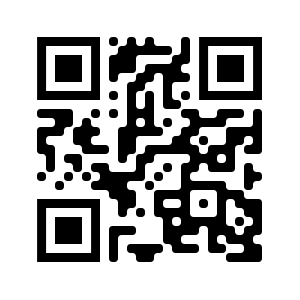
Install the U9play APK from our download page. Review the file's permissions first, and continue only if the address and the file look right to you.
Visit HereiPhone / iPad
The iOS route is set by the provider and can change. Follow the steps on your screen and read each prompt before adding a profile or web app.
View iOS stepsH5 browser
No installation needed. Use the browser route and bookmark the page only after you check its address.
Reach Login PageAndroid APK installation steps
- Open the verified download page. Read the full address in your browser bar and use the latest link on this guide.
- Download the APK. Wait until it finishes. Skip files that come from chats, comments or other sites.
- Allow the install if Android blocks it Open Settings for the browser you used, permit it just for this install, then return and tap install.
- Open the app and check its address. If anything looks different, do not type a password or OTP.
Android uses different names for it. Search Settings for "Install unknown apps", pick the browser that downloaded the file, and turn the permission off again after you finish.
iPhone and iPad setup
- Open the iOS instructions from the download page, using Safari if it asks you to.
- Follow the steps currently on screen. Do not install a configuration profile unless you started the action and understand what it changes.
- If a web app is offered, tap Safari's Share menu and choose Add to Home Screen.
- Open the new icon and confirm that it goes to the address you expect.
Apple's setup methods change from time to time. If a prompt asks for device management or a profile you do not recognise, stop and check the instructions again before you continue.







Quick installation fixes
“App not installed”
Check free storage, remove an older conflicting version if appropriate, and download the file again from the verified partner address.
Download will not start
Check the connection, browser download settings and available storage. Do not use a third-party APK mirror as a workaround.
Blank H5 page
Refresh once, try a current browser, and check whether the partner has posted a service notice.
App asks for an update
Open the partner’s verified site and follow its current update instructions; avoid update files from pop-ups or forwarded messages.
Before you install
- Verify the complete web address before downloading.
- Review requested permissions and the partner’s privacy terms.
- Use a device screen lock and keep your operating system updated.
- Never share your password, OTP or bank credentials with this guide.